环境准备
查看Drozer项目说明发现环境要求
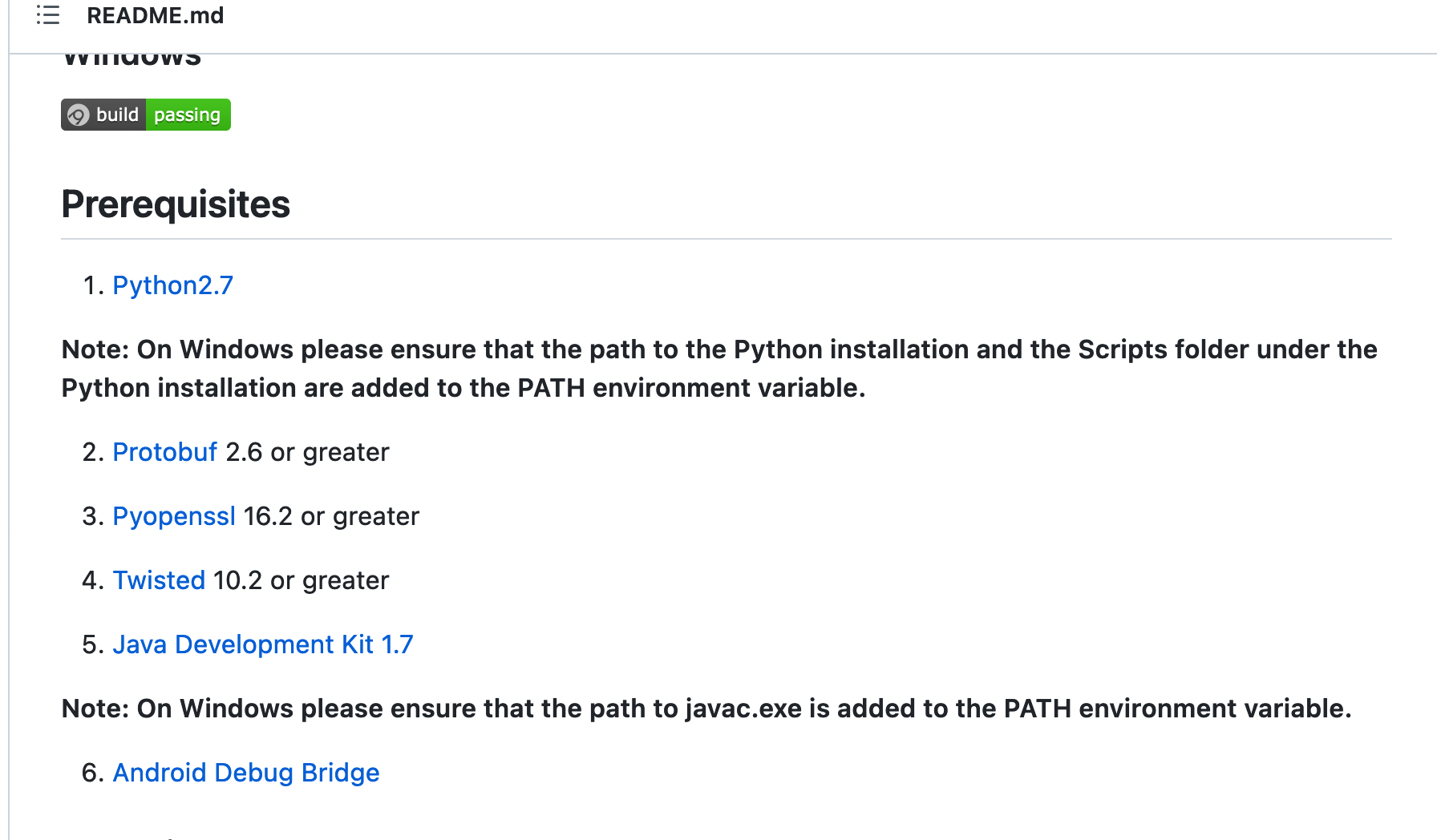 大致就是:
大致就是:
- jdk1.7+
- python2.7和pip 2不支持python3和pip3
- Protobuf 2.6 +
- Pyopenssl 16.2 +
- Twisted 10.2 +
- android sdk
- 安装adb
- 模拟器也要安装drozer agent
- 确保配置了adb、java环境变量
mac通过brew安装python2
从MacOS 12.4 Beta版(21F5048e) 开始,可以通过pyenv在intel和Apple芯片中安装python2
例如在M1中安装 2.7.18 版本的 python2。
brew install pyenv
pyenv install 2.7.18
export PATH="$(pyenv root)/shims:${PATH}"
pyenv global 2.7.18
python --version
如果一切顺利,将可以看到Python 2.7.18的输出。
需要将上述路径添加到环境变量里面,例如:
echo 'PATH=$(pyenv root)/shims:$PATH' >> ~/.zshrc
安装pyOpenSSL
安装pyOpenSSL 是最坑的一步,没有之一, 执行 pip install -v pyOpenSSL==0.14 出现下面的错误
 clang -fno-strict-aliasing -I/Library/Developer/CommandLineTools/SDKs/MacOSX.sdk/usr/include -DNDEBUG -g -fwrapv -O3 -Wall -Wstrict-prototypes -I/Users/liam/.pyenv/versions/2.7.18/include/python2.7 -c build/temp.macosx-12.6-arm64-2.7/_openssl.c -o build/temp.macosx-12.6-arm64-2.7/build/temp.macosx-12.6-arm64-2.7/_openssl.o -Wconversion -Wno-error=sign-conversion
  build/temp.macosx-12.6-arm64-2.7/_openssl.c:575:10: fatal error: 'openssl/opensslv.h' file not found
  #include <openssl/opensslv.h>
           ^~~~~~~~~~~~~~~~~~~~
  1 error generated.

      =============================DEBUG ASSISTANCE=============================
      If you are seeing a compilation error please try the following steps to
      successfully install cryptography:
      1) Upgrade to the latest pip and try again. This will fix errors for most
         users. See: https://pip.pypa.io/en/stable/installing/#upgrading-pip
      2) Read https://cryptography.io/en/latest/installation.html for specific
         instructions for your platform.
      3) Check our frequently asked questions for more information:
         https://cryptography.io/en/latest/faq.html
      =============================DEBUG ASSISTANCE=============================

  error: command 'clang' failed with exit status 1
  ----------------------------------------
  ERROR: Failed building wheel for cryptography
Failed to build cryptography
ERROR: Could not build wheels for cryptography which use PEP 517 and cannot be installed directly
去 https://github.com/WithSecureLabs/drozer/issues/155 找到相似问题, 要求pyOpenSSL的版本大于0.15, 但是啊, 安装0.15版本仍然会出现相同问题
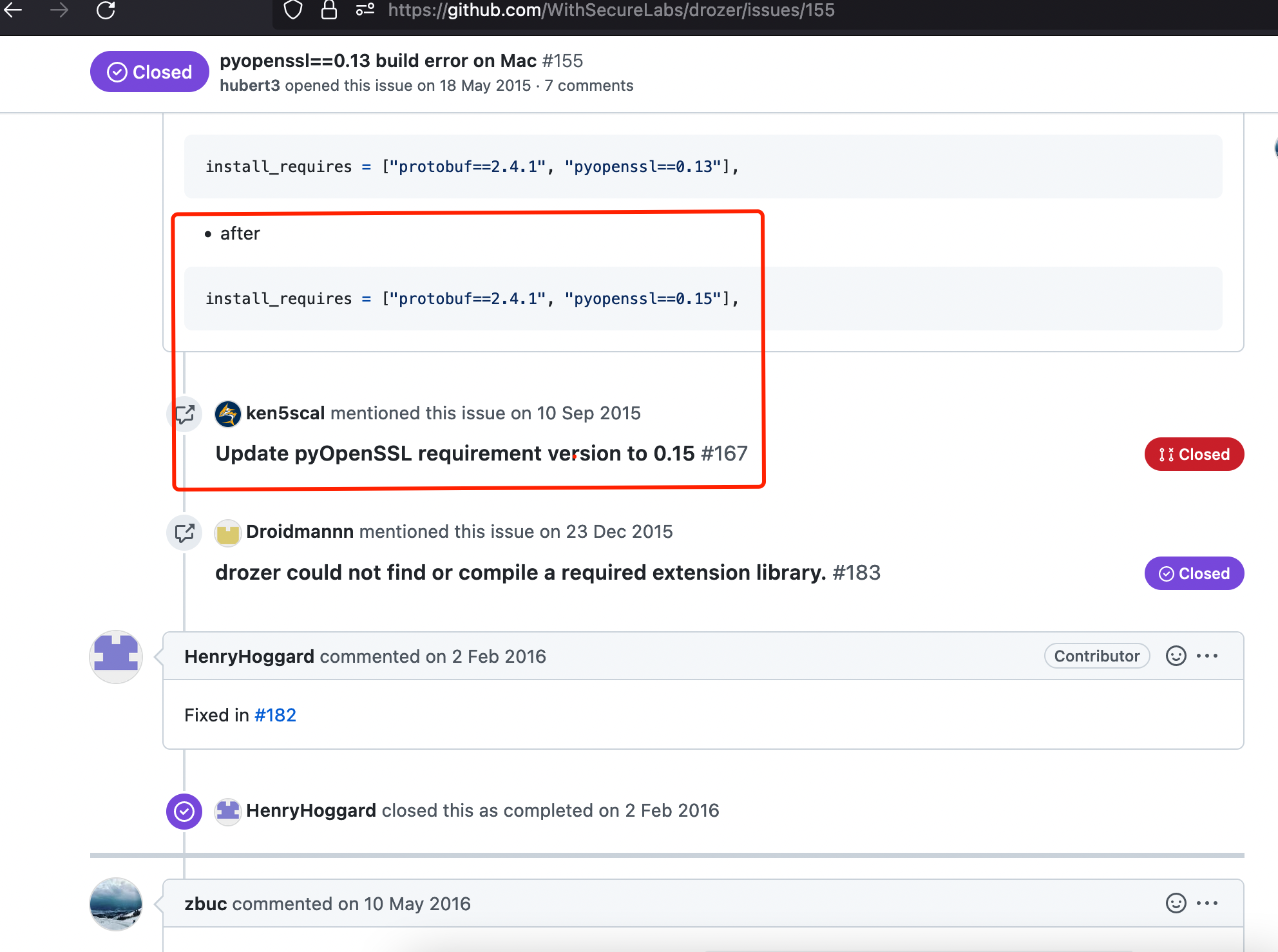
其实仔细分析日志可以发现问题大概出现在cryptography加密解密模块的openssl引用
继续通过搜索引擎大法发现了cryptography一个不能说毫不相干简直就是一模一样的问题
‘openssl/opensslv.h’ file not found ; OSX 10.11.6 #3367

安装openssl和rust工具链
通过cryptography的官方安装文档其实能解决大部分问题了, 原来是需要openssl 3的版本
执行下面的命令安装openssl和rust
brew install openssl@3 rust
但是啊但是, 它一个clang不讲武德,来, 骗!来, 偷袭!我69岁的老同志
继续执行下面的命令
env LDFLAGS="-L$(brew --prefix openssl@3)/lib" CFLAGS="-I$(brew --prefix openssl@3)/include" pip install cryptography
直接就破了个大防, 来个隐式声明的报错后直接装死, 而且走的很安详
build/temp.macosx-12.6-arm64-2.7/_openssl.c:18674:10: error: implicit declaration of function 'ERR_GET_FUNC' is invalid in C99 [-Werror,-Wimplicit-function-declaration]
    return ERR_GET_FUNC(x0);
           ^
  build/temp.macosx-12.6-arm64-2.7/_openssl.c:18674:10: note: did you mean 'ERR_GET_LIB'?
  /opt/homebrew/opt/openssl@3/include/openssl/err.h:241:36: note: 'ERR_GET_LIB' declared here
  static ossl_unused ossl_inline int ERR_GET_LIB(unsigned long errcode)
                                     ^
  build/temp.macosx-12.6-arm64-2.7/_openssl.c:18690:14: error: implicit declaration of function 'ERR_GET_FUNC' is invalid in C99 [-Werror,-Wimplicit-function-declaration]
    { result = ERR_GET_FUNC(x0); }
               ^
  build/temp.macosx-12.6-arm64-2.7/_openssl.c:23389:10: error: implicit declaration of function 'FIPS_mode' is invalid in C99 [-Werror,-Wimplicit-function-declaration]
    return FIPS_mode();
           ^
  build/temp.macosx-12.6-arm64-2.7/_openssl.c:23400:14: error: implicit declaration of function 'FIPS_mode' is invalid in C99 [-Werror,-Wimplicit-function-declaration]
    { result = FIPS_mode(); }
               ^
  build/temp.macosx-12.6-arm64-2.7/_openssl.c:23415:10: error: implicit declaration of function 'FIPS_mode_set' is invalid in C99 [-Werror,-Wimplicit-function-declaration]
    return FIPS_mode_set(x0);
           ^
  build/temp.macosx-12.6-arm64-2.7/_openssl.c:23431:14: error: implicit declaration of function 'FIPS_mode_set' is invalid in C99 [-Werror,-Wimplicit-function-declaration]
    { result = FIPS_mode_set(x0); }
大致瞅了瞅原因, implicit declaration of function 'ERR_GET_FUNC' is invalid in C99
即 函数 ERR_GET_FUNC 的隐式声明在C99中无效
C语言是过程化的编程语言,程序执行顺序是从上到下。函数调用需要先声明后调用。 C99 默认不允许隐式声明(1999年推出的c语言标准)。
在之前的版本中,在C语言函数在调用前不声明,编译器会自动按照一种隐式声明的规则,为调用函数的C代码产生汇编代码。
解决办法:
这部分和主要问题毫不相干, 没兴趣的可以直接跳过
在 main 函数调用前声明一下该函数。
(1)直接放到 main 函数前。
(2)或者定义在 .h 头文件中,在main函数前 引入该头文件。
(3)使用老版本编译。 【不推荐】
使用 -std 参数指定c语言版本:
如果是使用 clang 编译:
# 使用 C89 <-- 不报错
$ clang test.c -std=c89

# 使用 C99 <-- 提示不允许隐式声明,报错
$ clang test.c -std=c99
如果是使用 gcc 编译:
# 使用 C89 <-- 不报错
$ gcc test.c -std=c89

# 使用 C99 <-- 提示不允许隐式声明,报错
$ gcc test.c -std=c99
修改CFLAGS
之前的解决办法其实没法用,因为我是通过pip方式来安装cryptography的, 于是继续面向搜索引擎编程 找到了一个类似问题的解决办法
CFLAGS=-Wno-error=implicit-function-declaration pip3 install scipy
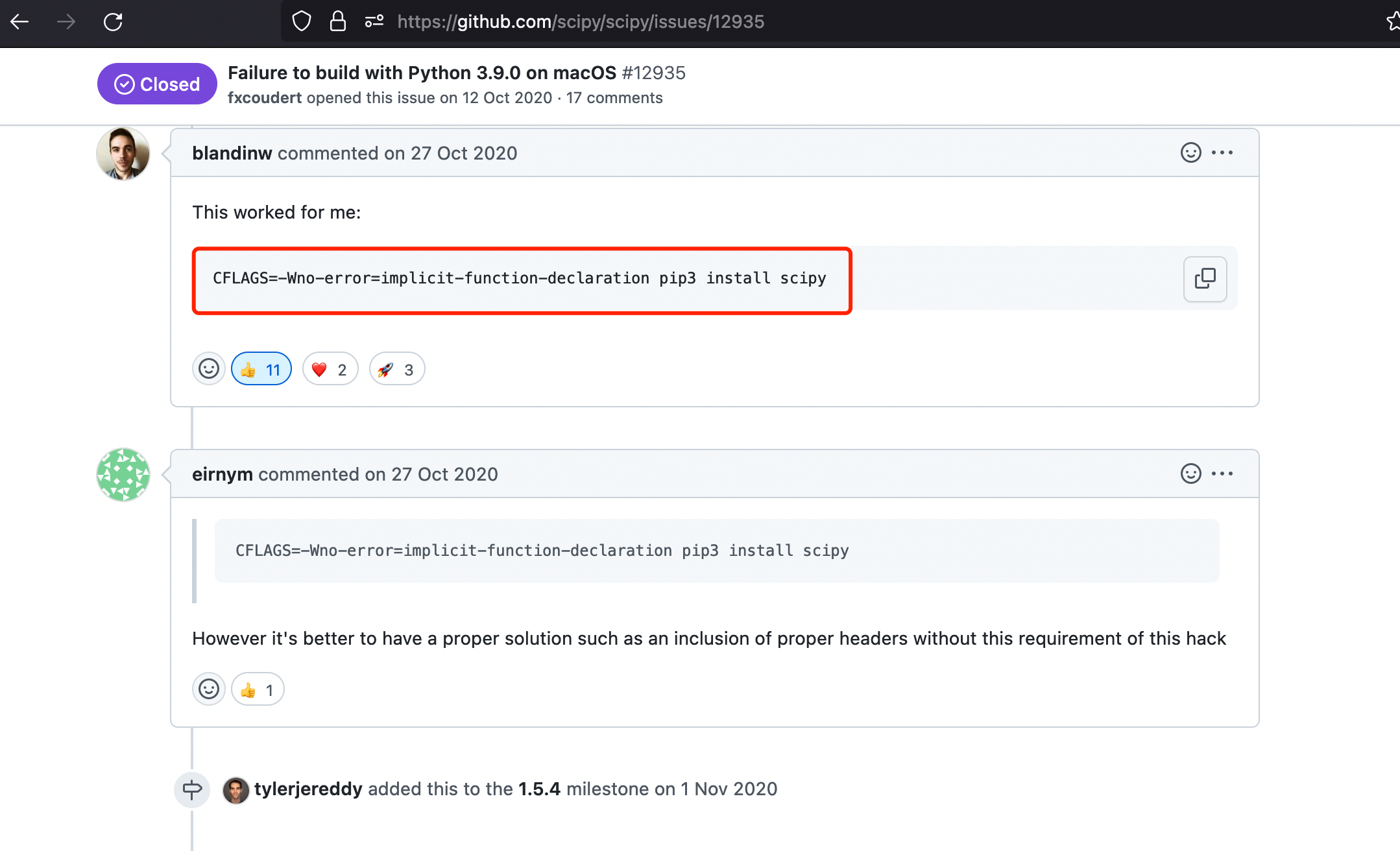
于是格局放大, 想着是不是能抄袭, 哦不对是模仿,模仿一下, 改造后的CFLAGS如下
env LDFLAGS="-L$(brew --prefix openssl@3)/lib" CFLAGS="-Wno-error=implicit-function-declaration -I$(brew --prefix openssl@3)/include" pip install cryptography
执行pip list |grep cryptography可以查看安装包
pip list |grep cryptography

Package            Version
------------------ -----------
cryptography       3.3.2
安装drozer
wget https://github.com/mwrlabs/drozer/releases/download/2.4.4/drozer-2.4.4-py2-none-any.whl
pip install drozer-2.4.4-py2-none-any.whl --ignore-installed pyOpenSSL
总结命令
# 安装python
brew install pyenv
pyenv install 2.7.18
export PATH="$(pyenv root)/shims:${PATH}"
pyenv global 2.7.18

#安装cryptography
brew install openssl@3 rust
env LDFLAGS="-L$(brew --prefix openssl@3)/lib" CFLAGS="-Wno-error=implicit-function-declaration -I$(brew --prefix openssl@3)/include" pip install cryptography

#安装 protobuf Twisted和pyOpenSSL
pip install protobuf
pip install Twisted
pip install pyOpenSSL

# 安装drozer
wget https://github.com/mwrlabs/drozer/releases/download/2.4.4/drozer-2.4.4-py2-none-any.whl
pip install drozer-2.4.4-py2-none-any.whl --ignore-installed pyOpenSSL
参考
- https://github.com/WithSecureLabs/drozer
- brew安装python2
- https://github.com/WithSecureLabs/drozer/issues/155
- ‘openssl/opensslv.h’ file not found ; OSX 10.11.6 #3367
- https://cryptography.io/en/latest/installation/
- C编译报错: implicit declaration of function xxx is invalid in C99 [-Wimplicit-function-declaration]
- https://github.com/scipy/scipy/issues/12935