大家好,今天要介绍的是和主框架Frame相关的几个API,之前我也在一篇文章中提过一些,没看过的家人可以看一下:
C# Solidworks二次开发:获取主窗口API和创建新活动窗口API详解_solidworks二次开发c#-CSDN博客
下面介绍一下今天要讲的几个API:
(1)第一个为GetHwnd,这个API的含义为获取主框架的窗口句柄(备注:除了×64应用以外的),下面是其API的具体解释:
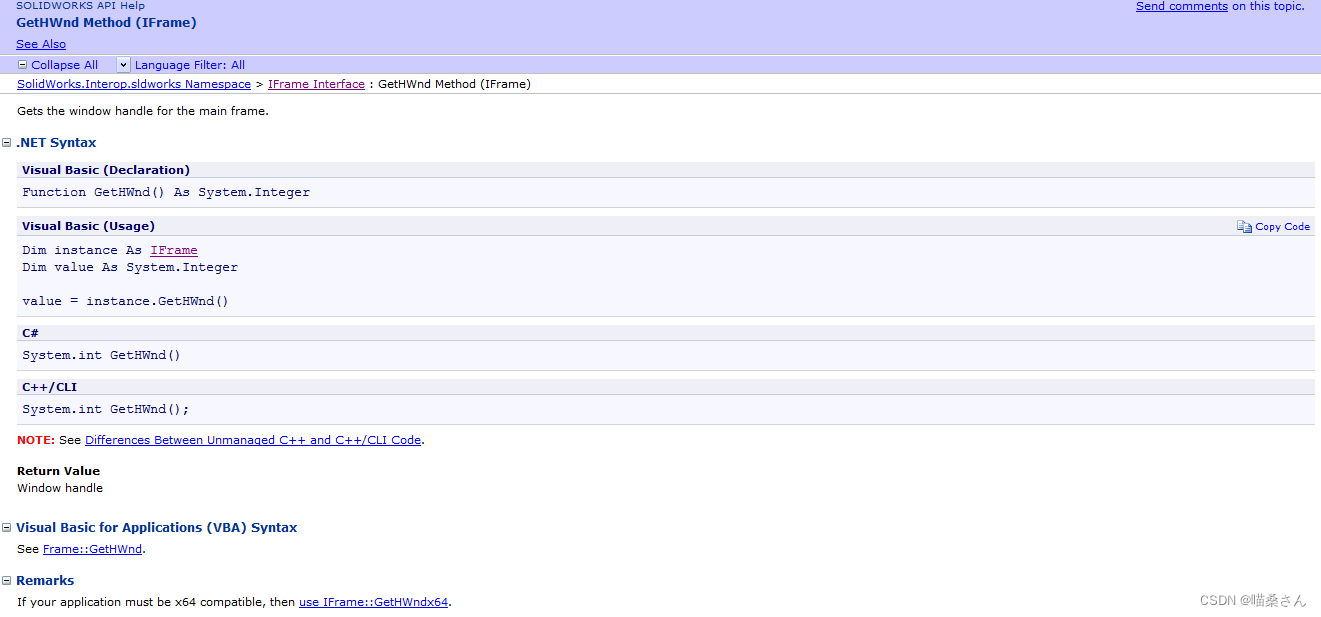
其没有输入参数,输出参数为handle。
(2)第二个为GetHwnd×64,这个API的含义为获取64为应用程序中主框架的窗口句柄,下面是其API的具体解释:
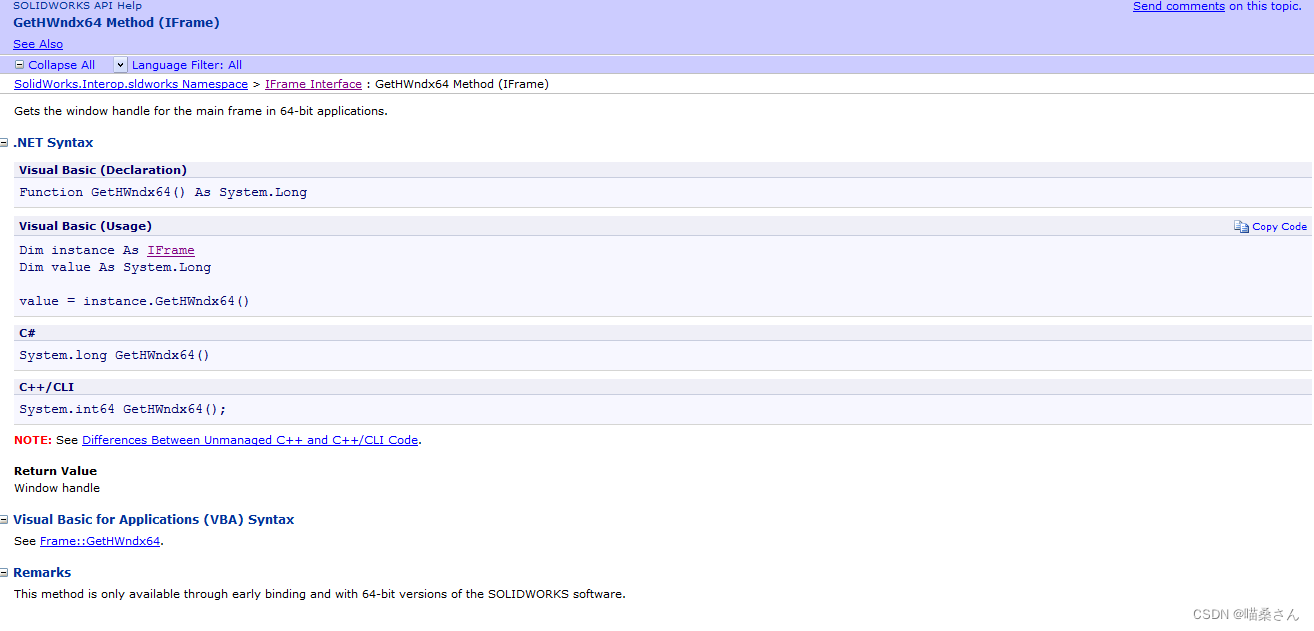
其参数同上。
(3)第三个为GetModelWindowCount,这个API的含义为获取此框架的子模型窗口数,下面是API的具体含义:
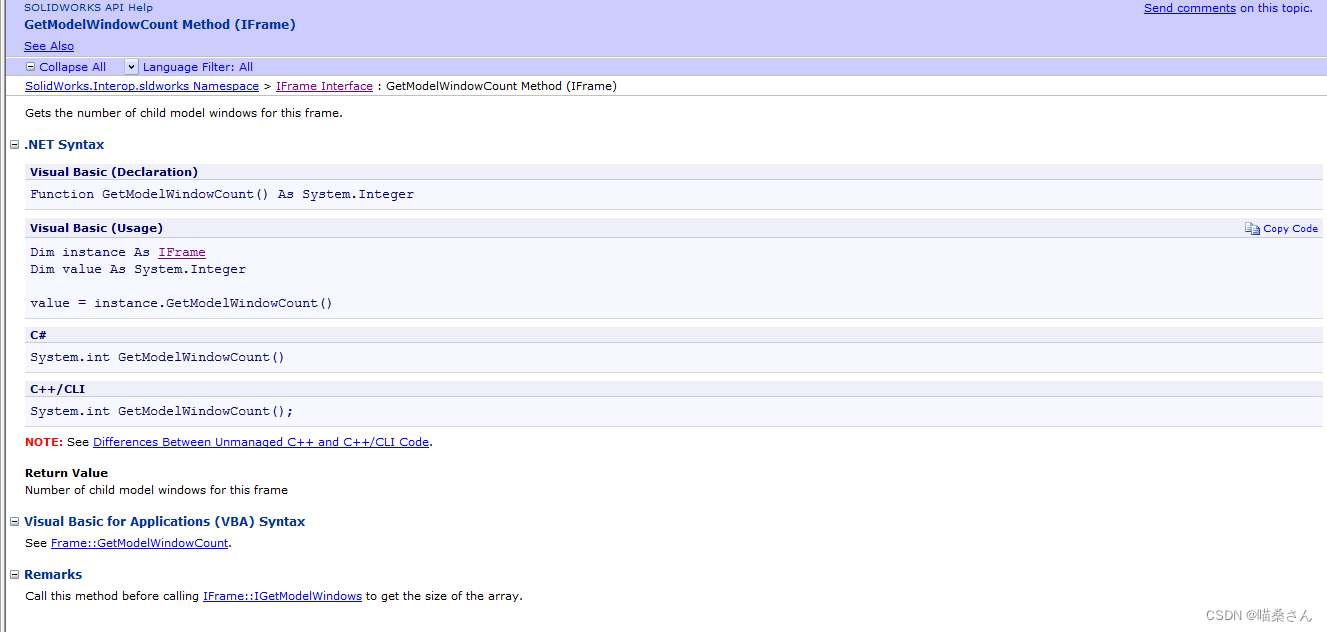
其没有输入参数,输出参数为窗口数量。
(4)第四个为ShowModelWindow,这个API的含义为显示客户端模型窗口,下面是API的具体解释:
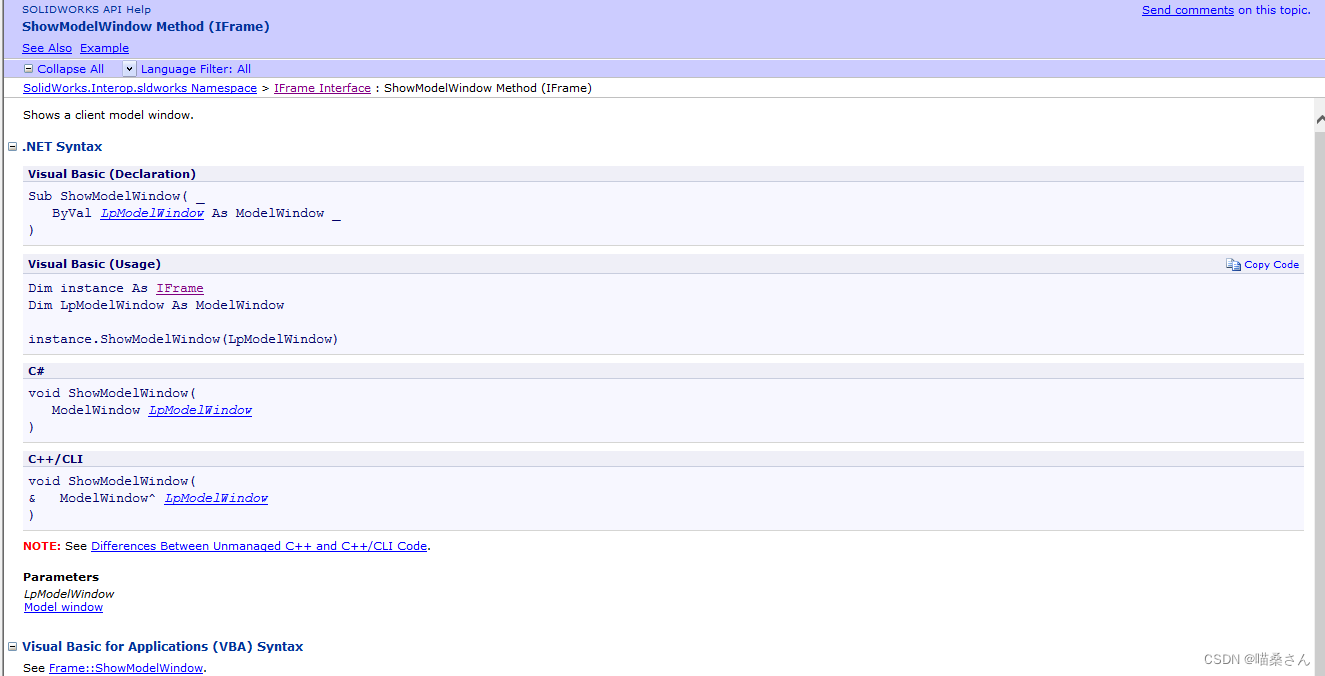
官方的使用例子,如下所示:
This example shows how to switch documents by opening documents in their own and client model windows.
//----------------------------------------------
// Preconditions:
// 1. Verify that the specified documents to open exist.
// 2. Open the Immediate window.
//
// Postconditions:
// 1. Opens the specified documents in their own
//    and client model windows.
// 2. Closes all open documents.
// 3. Examine the Immediate window.
//----------------------------------------------

using SolidWorks.Interop.sldworks;
using SolidWorks.Interop.swconst;
using System.Runtime.InteropServices;
using System;
using System.Diagnostics;

namespace FrameCSharp.csproj
{
    public partial class SolidWorksMacro
    {

        public void Main()
        {
            ModelDoc2 swModelDoc = default(ModelDoc2);
            Frame swFrame = default(Frame);
            ModelWindow swModelWindow = default(ModelWindow);
            object[] modelWindows = null;
            int errors = 0;
            int warnings = 0;
            int HWnd = 0;
            string fileName = null;
            string strFolder = null;

            //Open the specified documents in their own windows
            fileName = "C:\\Users\\Public\\Documents\\SOLIDWORKS\\SOLIDWORKS 2018\\samples\\tutorial\\assemblymates\\knee.sldprt";
            swModelDoc = (ModelDoc2)swApp.OpenDoc6(fileName, (int)swDocumentTypes_e.swDocPART, (int)swOpenDocOptions_e.swOpenDocOptions_Silent, "", ref errors, ref warnings);
            //Open client model window containing the active document
            swApp.CreateNewWindow();

            fileName = "C:\\Users\\Public\\Documents\\SOLIDWORKS\\SOLIDWORKS 2018\\samples\\tutorial\\assemblymates\\bracket.sldprt";
            swModelDoc = (ModelDoc2)swApp.OpenDoc6(fileName, (int)swDocumentTypes_e.swDocPART, (int)swOpenDocOptions_e.swOpenDocOptions_Silent, "", ref errors, ref warnings);
            //Open client model window containing the active document
            swApp.CreateNewWindow();

            fileName = "C:\\Users\\Public\\Documents\\SOLIDWORKS\\SOLIDWORKS 2018\\samples\\tutorial\\assemblymates\\clamp.sldprt";
            swModelDoc = (ModelDoc2)swApp.OpenDoc6(fileName, (int)swDocumentTypes_e.swDocPART, (int)swOpenDocOptions_e.swOpenDocOptions_Silent, "", ref errors, ref warnings);
            //Open client model window containing the active document
            swApp.CreateNewWindow();

            swFrame = (Frame)swApp.Frame();
            modelWindows = (object[])swFrame.ModelWindows;
            Debug.Print("Open documents in their own windows:");
            foreach (object obj in modelWindows)
            {
                swModelWindow = (ModelWindow)obj;
                //Get the model document in this model window
                swModelDoc = (ModelDoc2)swModelWindow.ModelDoc;
                //Rebuild the document
                swModelDoc.EditRebuild3();
                swModelDoc = null;
                //Show the model window
                Debug.Print("");
                swFrame.ShowModelWindow(swModelWindow);
                //Get and print the model window handle
                HWnd = swModelWindow.HWnd;
                Debug.Print("  Model window handle: " + HWnd);
                //Get and print the model title as it is seen in the model window's title bar
                Debug.Print("  Model title as it seen in the model's window's title bar: " + swModelWindow.Title);
            }

            strFolder = "";
            //Specify true to close all documents, specify false to close
            //only the documents not modified
            swApp.CloseAllDocuments(true);

        }

        /// <summary>
        ///  The SldWorks swApp variable is pre-assigned for you.
        /// </summary>
        public SldWorks swApp;
    }
}
上面就是今天要介绍的四个API,都是和主框架有关的。
我们下篇文章再见。