目录
一、实验
1.环境
(1)主机
表1 主机
| 架构 | 系统 | 版本 | 备注 |
| Server服务端 | CentOS Stream9 | 云主机部署 | 基于SSL/TLS协议实现的开源VPN解决方案:OpenVPN |
| Client客户端 | Windows11 | OpenVPN 2.6.10 |
(2)查看Server服务端
cat /etc/os-release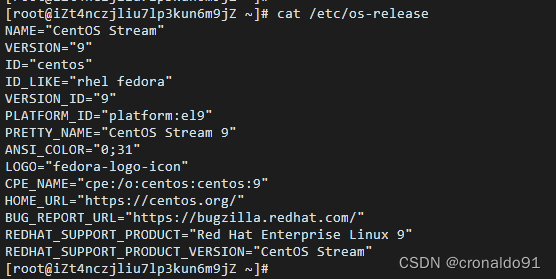
2.云服务申请
(1)搜索
阿里云查找轻量应用服务器

(2)选型
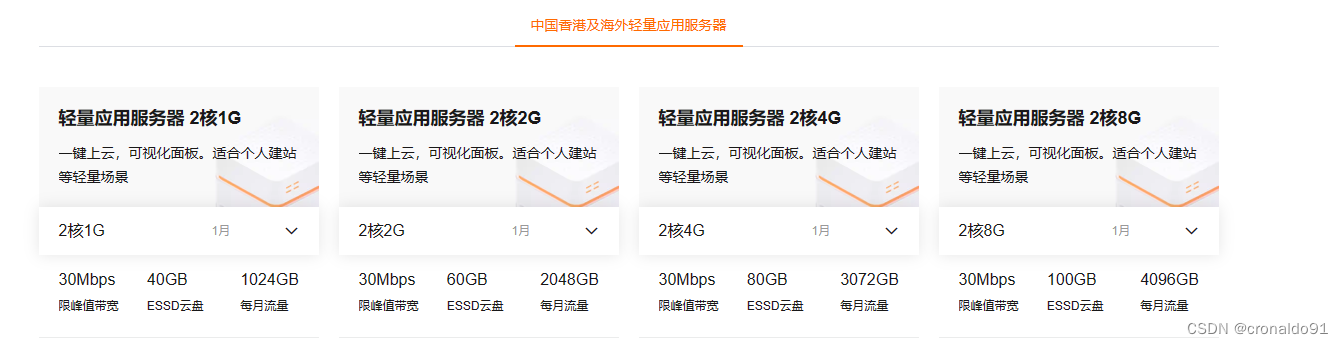
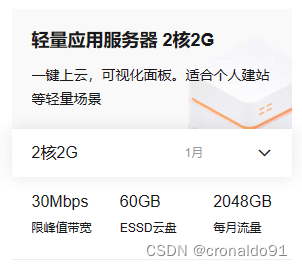
这里选择第2个
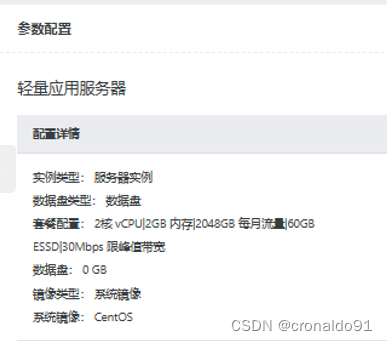
(3)参数配置
(4)确认
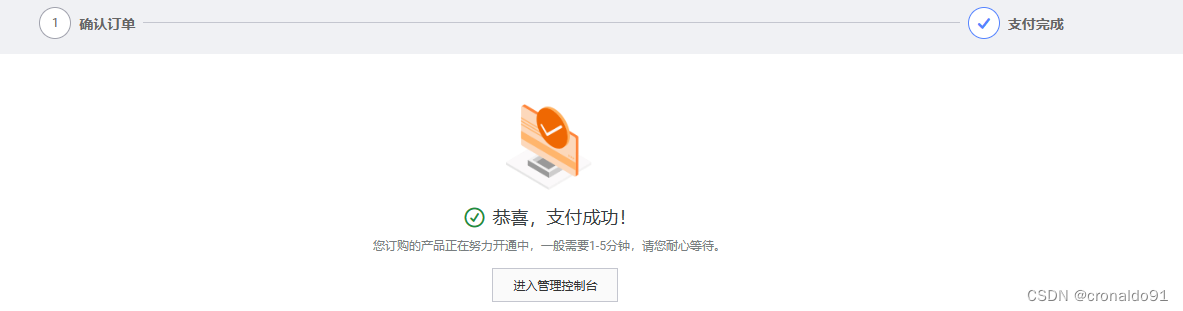
(5)等待创建

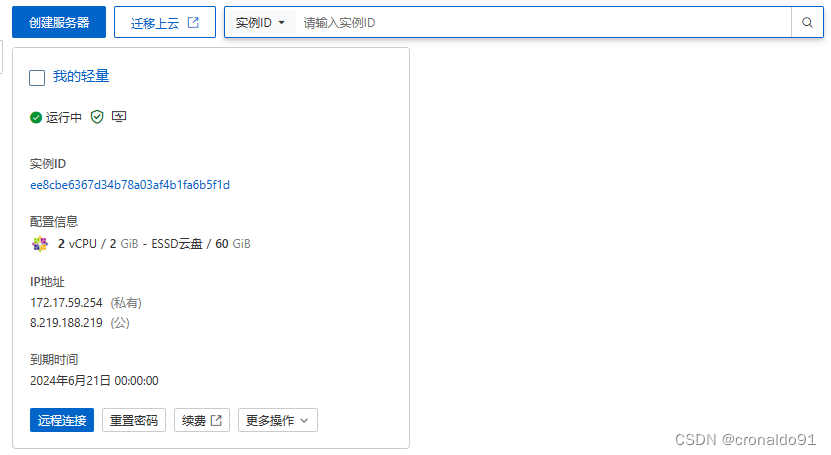
(6)创建完成,查看IP地址
1)私有IP
172.17.59.254

2)公网IP
8.219.188.219
(7)选择远程连接方式
点击“远程连接”

root权限连接

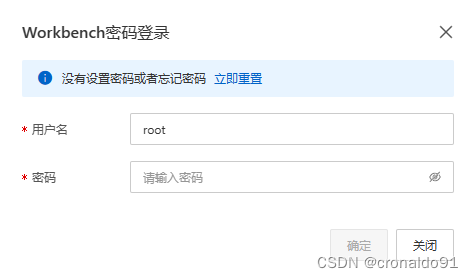
(8)立即重置
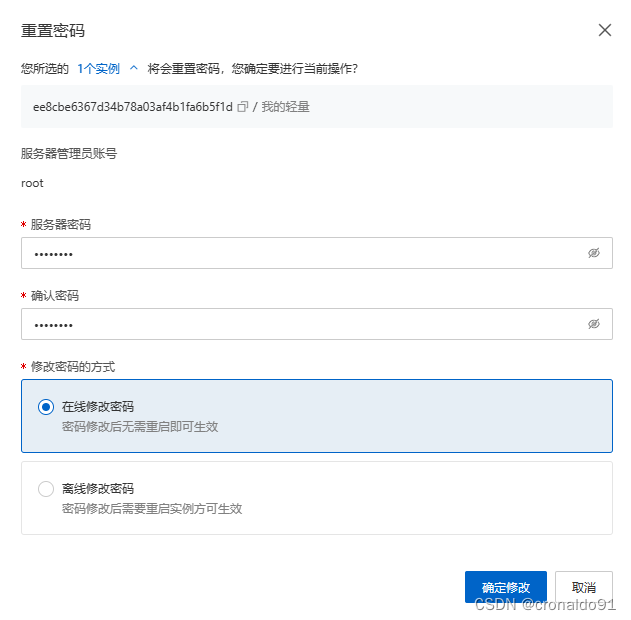
(9)修改密码
(10)完成

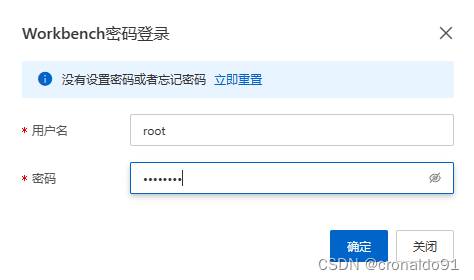
(11)远程登录
点击“立即登录”

确认
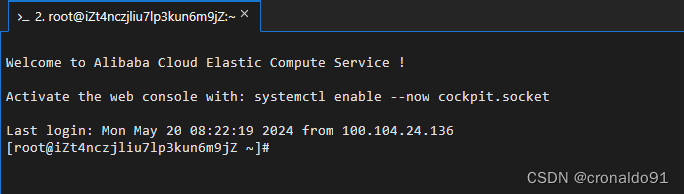
(12)成功
3.Server服务端部署
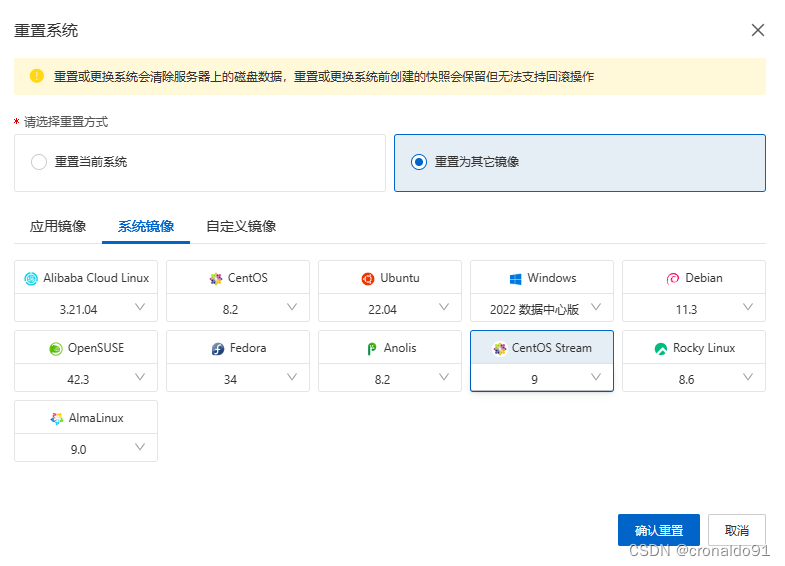
(1)更新系统镜像 (需要CentOS Linux 9及以上版本)
重置系统:

重置为其他镜像:
成功:
(2)立即登录
点击“立即登录”

进入:
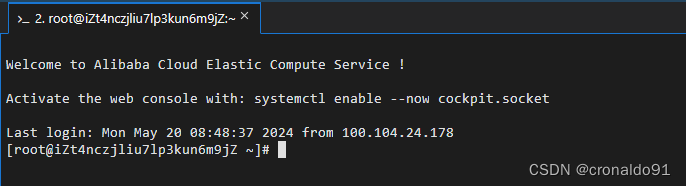
(3)安装openvpn
wget https://git.io/vpn -O openvpn-install.sh && bash openvpn-install.sh
(3)输入公网IP
提示:
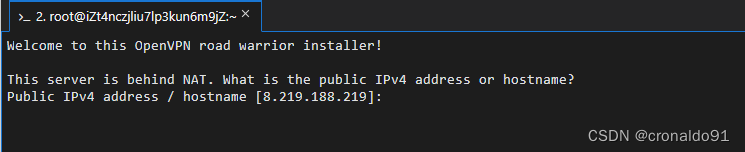
输入:

(4)选择UDP
提示:
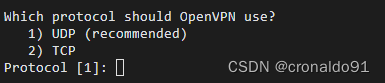
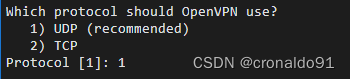
输入:
(5)选择端口号1194
提示:

输入:

(6)选择client端(第4项OpenDNS)
提示:
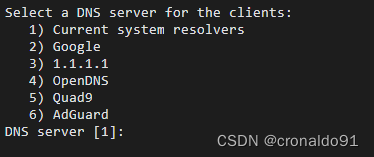
输入:
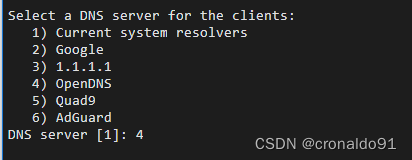
(7)生成client的名字(任意输入)
提示:

输入:

(8) 任意键开始默认安装

(9)完整的安装步骤如下:
Welcome to this OpenVPN road warrior installer!
This server is behind NAT. What is the public IPv4 address or hostname?
Public IPv4 address / hostname [8.219.188.219]: 8.219.188.219
Which protocol should OpenVPN use?
1) UDP (recommended)
2) TCP
Protocol [1]: 1
What port should OpenVPN listen to?
Port [1194]: 1194
Select a DNS server for the clients:
1) Current system resolvers
2) Google
3) 1.1.1.1
4) OpenDNS
5) Quad9
6) AdGuard
DNS server [1]: 4
Enter a name for the first client:
Name [client]: vpn
OpenVPN installation is ready to begin.
Press any key to continue...
CentOS Stream 9 - BaseOS 6.5 MB/s | 8.1 MB 00:01
CentOS Stream 9 - AppStream 12 MB/s | 19 MB 00:01
CentOS Stream 9 - Extras packages 20 kB/s | 16 kB 00:00
Last metadata expiration check: 0:00:01 ago on Mon 20 May 2024 08:56:34 AM CST.
Dependencies resolved.
=============================================================================================================================================================================================================================================
Package Architecture Version Repository Size
=============================================================================================================================================================================================================================================
Installing:
epel-release noarch 9-7.el9 extras-common 19 k
Installing weak dependencies:
epel-next-release noarch 9-7.el9 extras-common 8.1 k
Transaction Summary
=============================================================================================================================================================================================================================================
Install 2 Packages
Total download size: 27 k
Installed size: 29 k
Downloading Packages:
(1/2): epel-release-9-7.el9.noarch.rpm 42 kB/s | 19 kB 00:00
(2/2): epel-next-release-9-7.el9.noarch.rpm 18 kB/s | 8.1 kB 00:00
---------------------------------------------------------------------------------------------------------------------------------------------------------------------------------------------------------------------------------------------
Total 59 kB/s | 27 kB 00:00
CentOS Stream 9 - Extras packages 2.1 MB/s | 2.1 kB 00:00
Importing GPG key 0x1D997668:
Userid : "CentOS Extras SIG (https://wiki.centos.org/SpecialInterestGroup) <security@centos.org>"
Fingerprint: 363F C097 2F64 B699 AED3 968E 1FF6 A217 1D99 7668
From : /etc/pki/rpm-gpg/RPM-GPG-KEY-CentOS-SIG-Extras-SHA512
Key imported successfully
Running transaction check
Transaction check succeeded.
Running transaction test
Transaction test succeeded.
Running transaction
Preparing : 1/1
Installing : epel-release-9-7.el9.noarch 1/2
Running scriptlet: epel-release-9-7.el9.noarch 1/2
Many EPEL packages require the CodeReady Builder (CRB) repository.
It is recommended that you run /usr/bin/crb enable to enable the CRB repository.
Installing : epel-next-release-9-7.el9.noarch 2/2
Running scriptlet: epel-next-release-9-7.el9.noarch 2/2
Verifying : epel-next-release-9-7.el9.noarch 1/2
Verifying : epel-release-9-7.el9.noarch 2/2
Installed:
epel-next-release-9-7.el9.noarch epel-release-9-7.el9.noarch
Complete!
Extra Packages for Enterprise Linux 9 - x86_64 3.6 MB/s | 21 MB 00:05
Extra Packages for Enterprise Linux 9 openh264 (From Cisco) - x86_64 1.1 kB/s | 2.5 kB 00:02
Extra Packages for Enterprise Linux 9 - Next - x86_64 441 kB/s | 613 kB 00:01
Last metadata expiration check: 0:00:01 ago on Mon 20 May 2024 08:56:52 AM CST.
Package openssl-1:3.0.1-38.el9.x86_64 is already installed.
Package ca-certificates-2022.2.54-90.0.el9.noarch is already installed.
Package tar-2:1.34-5.el9.x86_64 is already installed.
Dependencies resolved.
=============================================================================================================================================================================================================================================
Package Architecture Version Repository Size
=============================================================================================================================================================================================================================================
Installing:
openvpn x86_64 2.5.9-2.el9 epel 653 k
Upgrading:
ca-certificates noarch 2023.2.60_v7.0.306-90.1.el9 baseos 843 k
openssl x86_64 1:3.2.1-1.el9 baseos 1.3 M
openssl-devel x86_64 1:3.2.1-1.el9 appstream 4.4 M
openssl-libs x86_64 1:3.2.1-1.el9 baseos 2.4 M
tar x86_64 2:1.34-6.el9 baseos 885 k
Installing dependencies:
pkcs11-helper x86_64 1.27.0-6.el9 epel 62 k
Transaction Summary
=============================================================================================================================================================================================================================================
Install 2 Packages
Upgrade 5 Packages
Total download size: 11 M
Downloading Packages:
(1/7): pkcs11-helper-1.27.0-6.el9.x86_64.rpm 2.0 MB/s | 62 kB 00:00
(2/7): openvpn-2.5.9-2.el9.x86_64.rpm 10 MB/s | 653 kB 00:00
(3/7): ca-certificates-2023.2.60_v7.0.306-90.1.el9.noarch.rpm 1.2 MB/s | 843 kB 00:00
(4/7): openssl-3.2.1-1.el9.x86_64.rpm 1.9 MB/s | 1.3 MB 00:00
(5/7): openssl-libs-3.2.1-1.el9.x86_64.rpm 3.1 MB/s | 2.4 MB 00:00
(6/7): tar-1.34-6.el9.x86_64.rpm 2.2 MB/s | 885 kB 00:00
(7/7): openssl-devel-3.2.1-1.el9.x86_64.rpm 8.5 MB/s | 4.4 MB 00:00
---------------------------------------------------------------------------------------------------------------------------------------------------------------------------------------------------------------------------------------------
Total 6.5 MB/s | 11 MB 00:01
Extra Packages for Enterprise Linux 9 - x86_64 1.6 MB/s | 1.6 kB 00:00
Importing GPG key 0x3228467C:
Userid : "Fedora (epel9) <epel@fedoraproject.org>"
Fingerprint: FF8A D134 4597 106E CE81 3B91 8A38 72BF 3228 467C
From : /etc/pki/rpm-gpg/RPM-GPG-KEY-EPEL-9
Key imported successfully
Running transaction check
Transaction check succeeded.
Running transaction test
Transaction test succeeded.
Running transaction
Preparing : 1/1
Running scriptlet: ca-certificates-2023.2.60_v7.0.306-90.1.el9.noarch 1/12
Upgrading : ca-certificates-2023.2.60_v7.0.306-90.1.el9.noarch 1/12
Running scriptlet: ca-certificates-2023.2.60_v7.0.306-90.1.el9.noarch 1/12
Upgrading : openssl-libs-1:3.2.1-1.el9.x86_64 2/12
Installing : pkcs11-helper-1.27.0-6.el9.x86_64 3/12
Running scriptlet: openvpn-2.5.9-2.el9.x86_64 4/12
Installing : openvpn-2.5.9-2.el9.x86_64 4/12
Running scriptlet: openvpn-2.5.9-2.el9.x86_64 4/12
Upgrading : openssl-1:3.2.1-1.el9.x86_64 5/12
Upgrading : openssl-devel-1:3.2.1-1.el9.x86_64 6/12
Upgrading : tar-2:1.34-6.el9.x86_64 7/12
Cleanup : openssl-1:3.0.1-38.el9.x86_64 8/12
Cleanup : openssl-devel-1:3.0.1-38.el9.x86_64 9/12
Cleanup : openssl-libs-1:3.0.1-38.el9.x86_64 10/12
Cleanup : ca-certificates-2022.2.54-90.0.el9.noarch 11/12
Cleanup : tar-2:1.34-5.el9.x86_64 12/12
Running scriptlet: ca-certificates-2023.2.60_v7.0.306-90.1.el9.noarch 12/12
Running scriptlet: tar-2:1.34-5.el9.x86_64 12/12
Verifying : openvpn-2.5.9-2.el9.x86_64 1/12
Verifying : pkcs11-helper-1.27.0-6.el9.x86_64 2/12
Verifying : ca-certificates-2023.2.60_v7.0.306-90.1.el9.noarch 3/12
Verifying : ca-certificates-2022.2.54-90.0.el9.noarch 4/12
Verifying : openssl-1:3.2.1-1.el9.x86_64 5/12
Verifying : openssl-1:3.0.1-38.el9.x86_64 6/12
Verifying : openssl-libs-1:3.2.1-1.el9.x86_64 7/12
Verifying : openssl-libs-1:3.0.1-38.el9.x86_64 8/12
Verifying : tar-2:1.34-6.el9.x86_64 9/12
Verifying : tar-2:1.34-5.el9.x86_64 10/12
Verifying : openssl-devel-1:3.2.1-1.el9.x86_64 11/12
Verifying : openssl-devel-1:3.0.1-38.el9.x86_64 12/12
Upgraded:
ca-certificates-2023.2.60_v7.0.306-90.1.el9.noarch openssl-1:3.2.1-1.el9.x86_64 openssl-devel-1:3.2.1-1.el9.x86_64 openssl-libs-1:3.2.1-1.el9.x86_64 tar-2:1.34-6.el9.x86_64
Installed:
openvpn-2.5.9-2.el9.x86_64 pkcs11-helper-1.27.0-6.el9.x86_64
Complete!
Notice
------
'init-pki' complete; you may now create a CA or requests.
Your newly created PKI dir is:
* /etc/openvpn/server/easy-rsa/pki
Using Easy-RSA configuration:
* undefined
No Easy-RSA 'vars' configuration file exists!
Using SSL:
* openssl OpenSSL 3.2.1 30 Jan 2024 (Library: OpenSSL 3.2.1 30 Jan 2024)
.......+...+++++++++++++++++++++++++++++++++++++++*.....+...+...+........+.+......+..+............+...+.+.........+...........+.+.....+......+..........+...+.........+.....+...+....+.........+..+..........+..+............+.........+.+.....+......+.......+..+......+...+++++++++++++++++++++++++++++++++++++++*..........+...............+.....+.........+...+...+.........+.+...........+.+.........+.....+................+...+..+...+.......+.....+....+........+...+...+.+...+............+.....+....+.......................................+........+...+......+.+...+..+....+...+..+...+...+.......+.................+....+......+.....+.+.....+...+....+...+..+..........+...........+..........+......+...+......+..+.......+...+........+.+...+..+...+.......+.....+....+..+......................+......+..+.......+..+...+..................+...+.+...+.....+.......+........+.......+..............+.+......+..............+....+...........+.+...+..+.........+..................+.+.........+..+..................+...+...+....+..+.++++++
...+..+++++++++++++++++++++++++++++++++++++++*...+++++++++++++++++++++++++++++++++++++++*..........+......+.............+..+.........+.+.....+......+...+....+............+...+........+..........+.....+.......+..+.+..+.......+......+............+.................+....+...........+....+......+........+.+......+...+..........................+.+......+.........+.....+.+........+.+.........+..+...................+.....+....+.....+....+...+..+.+.........+.....+.............+...+.....+.+.....+.+.....+....++++++
-----
Notice
------
CA creation complete. Your new CA certificate is at:
* /etc/openvpn/server/easy-rsa/pki/ca.crt
No Easy-RSA 'vars' configuration file exists!
Using SSL:
* openssl OpenSSL 3.2.1 30 Jan 2024 (Library: OpenSSL 3.2.1 30 Jan 2024)
...+.........+..+.+...+.....+......+....+.........+..+...+.......+...+..+.............+.....+.......+........+......+.......+..+++++++++++++++++++++++++++++++++++++++*.+.......+..+..........+.....+......+++++++++++++++++++++++++++++++++++++++*...+....+..+...+......+.+.....+......................+.....+............+..........+...+......+..+.......+......+.....+......+...+......................+...+...+............+.....+...+..................+.......+........+.........+............+.+.................+.......+.....+.........+......+..........+...++++++
...............+.....+.+......+...+.....+.+..+...+......+.+........+.......+++++++++++++++++++++++++++++++++++++++*.+..+....+..+.........+......+...+...............+....+...+..+.+...........+.+.....+.........+.+.........+...+...+........+............+....+.....+...+...+....+...+...+........+.+......+...+.....+.+......+...+......+...+..+......+....+.....+....+..+.......+...+..+.+..............+++++++++++++++++++++++++++++++++++++++*......+.......+...+..+.+........+......+..................+.+............+.....+...+......+.+..+.+...........+....+..+.......+.....+......+.+......+........+....+..+.............+........+...+.+...+............+.....+...............+...+.+.........+..+..........+.....+......+............+...+............+.......+.........+..+...+................+.....+.+........+....+...+.....+.......+........+...+......+......+....+........+...+.......+.....+.+.....+....+......+......+......+...+............+..+...+...+.+...+......+..+............+.+......+.....+......+.......+.....+.+......+.....+....+.....+.......+.........+...+...+...........................+............+.....+...+.+..............+......+......+...+......+.........+.......+...+..+.+.....+....+.........+.....+.......+...+..+.......+........+.......+...+..+.+..+...+....+..+...............+....+.....+.........+...+....+......+........+....+......+........................+...+.........+......+...............+.........+......+........+.......+........+....+.....+..........+......+..+...+.+.........+..+....+.....+.+........+.+.....+....+..+............+.......+...+..+......+.......+......+..+.......+..+.........+.+..................+......+.....+...............+......+...+......+......+.............+.....+.+......+.....+...+.+.................+...+.+...++++++
-----
Notice
------
Private-Key and Public-Certificate-Request files created.
Your files are:
* req: /etc/openvpn/server/easy-rsa/pki/reqs/server.req
* key: /etc/openvpn/server/easy-rsa/pki/private/server.key
Using configuration from /etc/openvpn/server/easy-rsa/pki/openssl-easyrsa.cnf
Check that the request matches the signature
Signature ok
The Subject's Distinguished Name is as follows
commonName :ASN.1 12:'server'
Certificate is to be certified until May 18 00:57:03 2034 GMT (3650 days)
Write out database with 1 new entries
Database updated
Notice
------
Certificate created at:
* /etc/openvpn/server/easy-rsa/pki/issued/server.crt
Notice
------
Inline file created:
* /etc/openvpn/server/easy-rsa/pki/inline/server.inline
No Easy-RSA 'vars' configuration file exists!
Using SSL:
* openssl OpenSSL 3.2.1 30 Jan 2024 (Library: OpenSSL 3.2.1 30 Jan 2024)
..+.+......+.........+++++++++++++++++++++++++++++++++++++++*..+.....+...+......+...+.......+...+..+....+..+....+...+......+.........+..+.+..+.+............+++++++++++++++++++++++++++++++++++++++*...+......+.+............+...........+......+.+..+......................+.........+..+...+.......+.........+......+............+.....+......+......+......+.........+..................+.+......+...+...+...+.........+..+.+.........+...........+..........+........+.+.....+.+.....+...+.........+.+.........+..+...+.+......+...+...............+...+........+......+...+......+.+...+...+..+......+.......+........+......+....+.........+..+..................+.......+...+..+.........+.......+..+...+...............+.........+....+...........+.+..+...+...............+....+......+........+.+..............+......+.+...+.....+.+...+.....................+.....+....++++++
......+...+............+.....+.............+..+.......+.....+............+...+.+.....+............+....+...+..+................+..+.+..+....+...+++++++++++++++++++++++++++++++++++++++*.+.........+..+.........+.+.....+....+......+++++++++++++++++++++++++++++++++++++++*..+...............+...+...+..+......+....+........+..........+.........+...........+....+.........+..+............+......+.......+........+......+...+............+.++++++
-----
Notice
------
Private-Key and Public-Certificate-Request files created.
Your files are:
* req: /etc/openvpn/server/easy-rsa/pki/reqs/vpn.req
* key: /etc/openvpn/server/easy-rsa/pki/private/vpn.key
Using configuration from /etc/openvpn/server/easy-rsa/pki/openssl-easyrsa.cnf
Check that the request matches the signature
Signature ok
The Subject's Distinguished Name is as follows
commonName :ASN.1 12:'vpn'
Certificate is to be certified until May 18 00:57:03 2034 GMT (3650 days)
Write out database with 1 new entries
Database updated
Notice
------
Certificate created at:
* /etc/openvpn/server/easy-rsa/pki/issued/vpn.crt
Notice
------
Inline file created:
* /etc/openvpn/server/easy-rsa/pki/inline/vpn.inline
No Easy-RSA 'vars' configuration file exists!
Using SSL:
* openssl OpenSSL 3.2.1 30 Jan 2024 (Library: OpenSSL 3.2.1 30 Jan 2024)
Using configuration from /etc/openvpn/server/easy-rsa/pki/openssl-easyrsa.cnf
Notice
------
An updated CRL has been created:
* /etc/openvpn/server/easy-rsa/pki/crl.pem
Created symlink /etc/systemd/system/multi-user.target.wants/openvpn-iptables.service → /etc/systemd/system/openvpn-iptables.service.
Created symlink /etc/systemd/system/multi-user.target.wants/openvpn-server@server.service → /usr/lib/systemd/system/openvpn-server@.service.
Finished!
The client configuration is available in: /root/vpn.ovpn
New clients can be added by running this script again.(10)云主机配置安全规则
选择“我的轻量”

查看当前安全规则
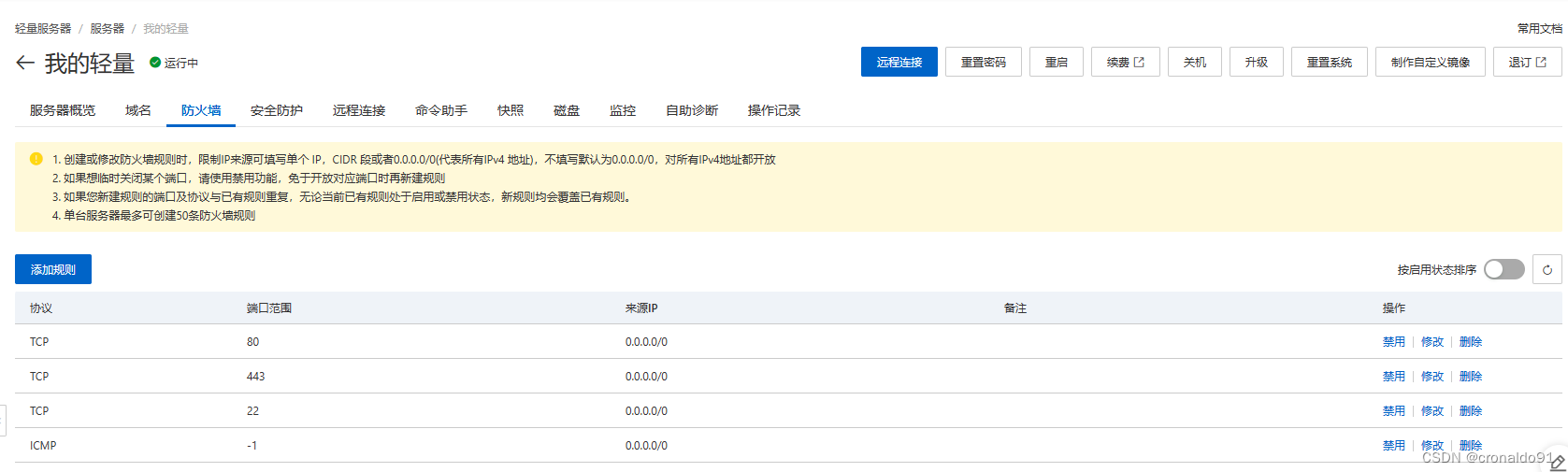
添加安全规则

完成:

(11)Termius 连接云主机
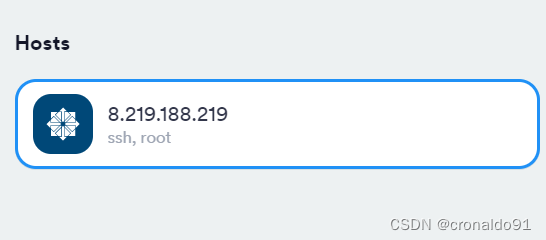
连接
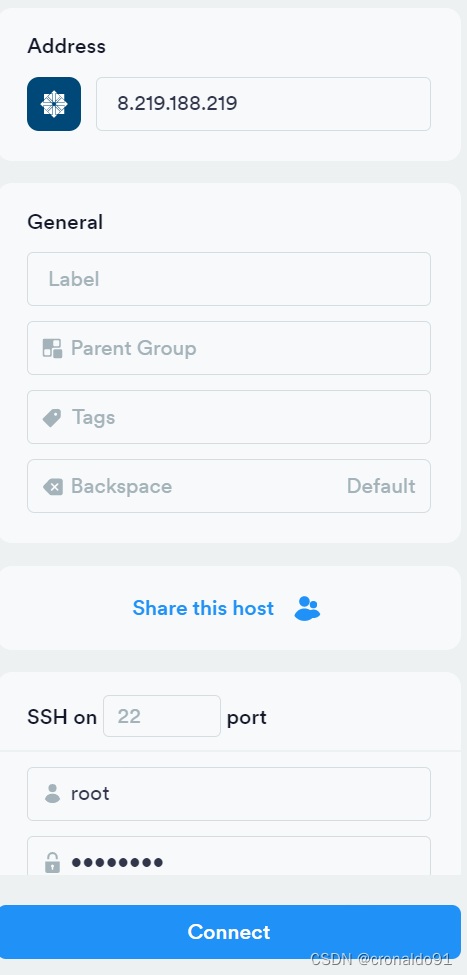
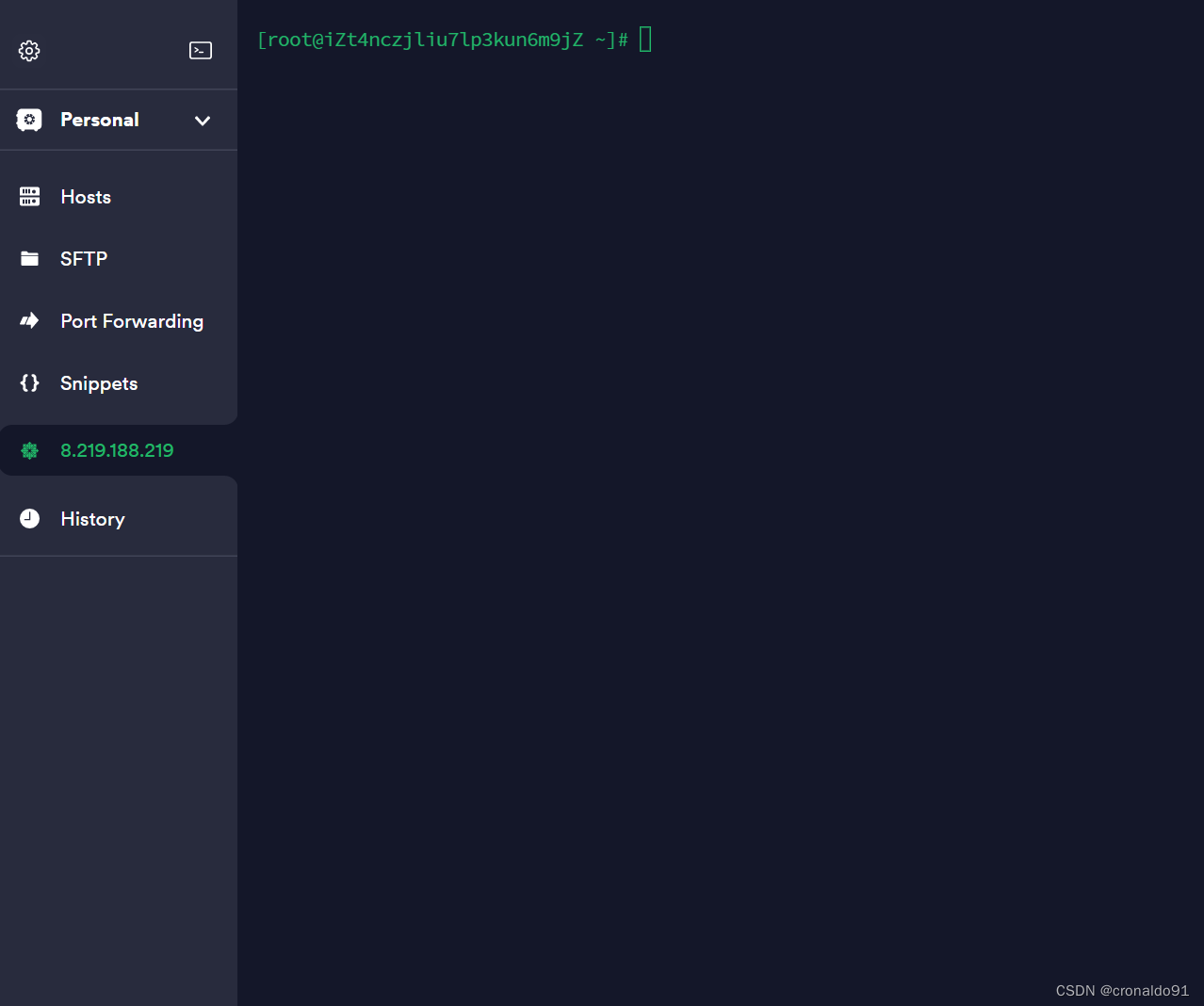
成功:
(12)使用Termius下载ovpn文件
root目录下生成了对应的ovpn文件
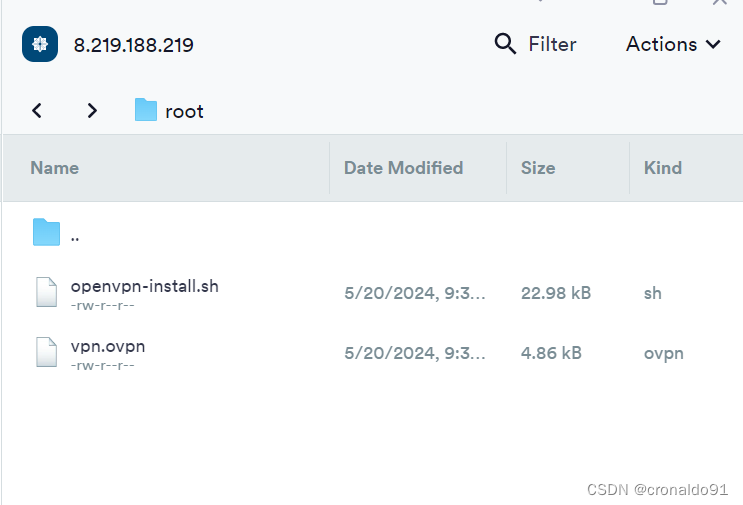
复制到指定目录

查看文件

4.Client客户端部署
(1)查阅
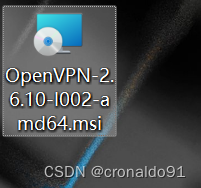
https://openvpn.net/community-downloads/最新版为2.6.10
https://swupdate.openvpn.org/community/releases/OpenVPN-2.6.10-I002-amd64.msi
(2)下载
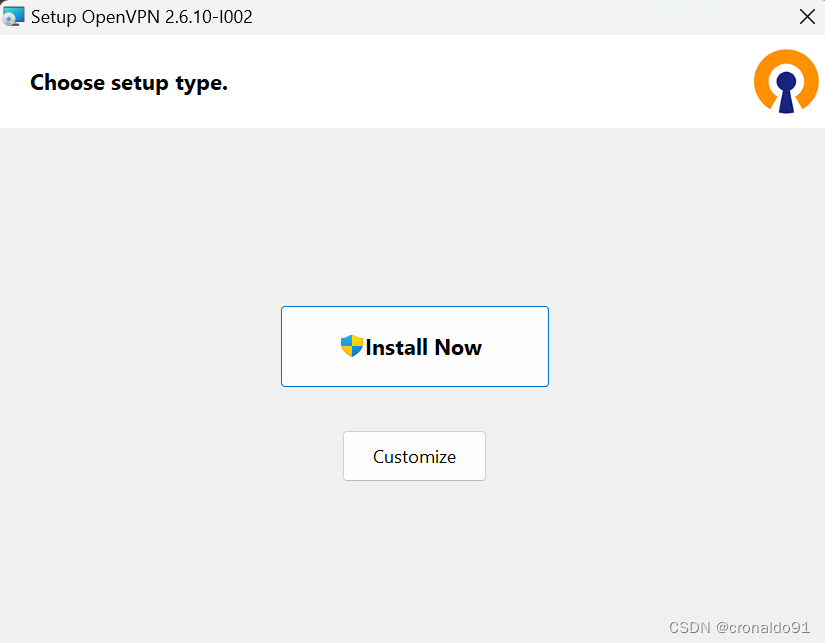
(3)安装
点击“Install Now”
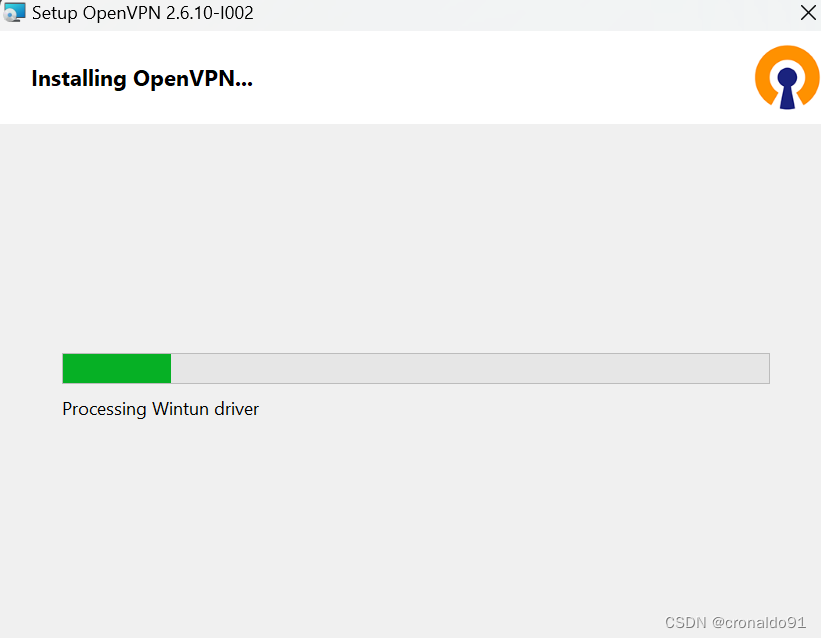
安装中
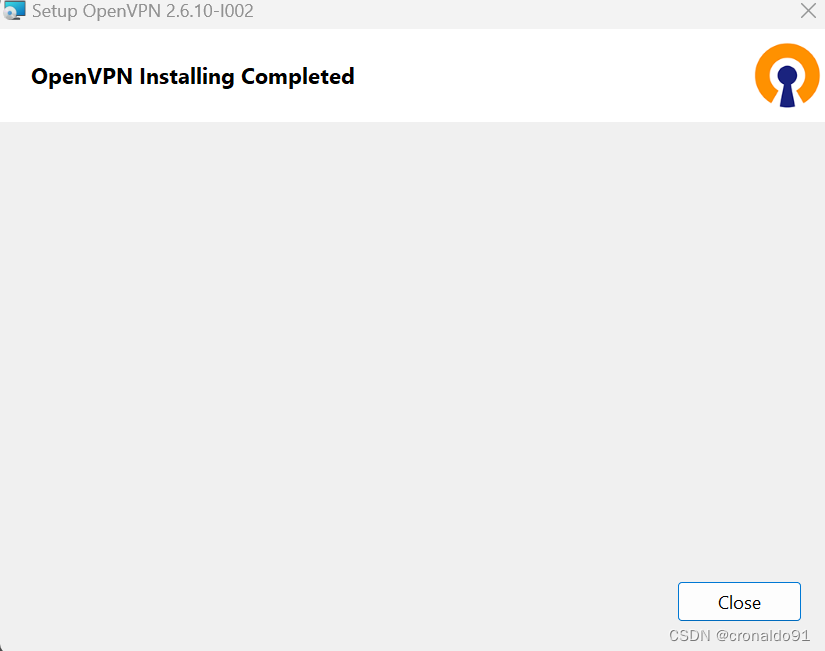
完成
(4)提示
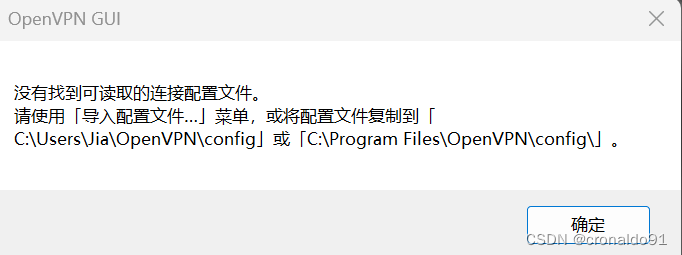
(5)查看安装目录
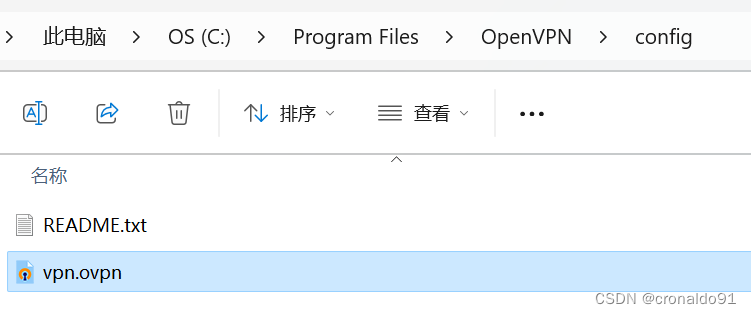
C:\Program Files\OpenVPN\config
(6)传送配置文件
将之前云服务器下载的ovpn文件放进config文件夹
(7)进入系统

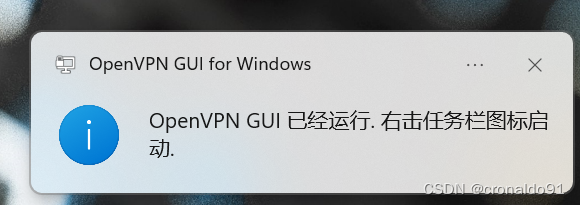
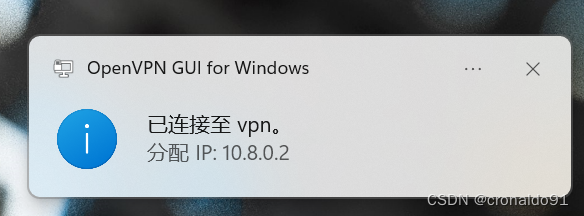
(8)弹出提示框
(9)右键点击连接

(10)查看状态
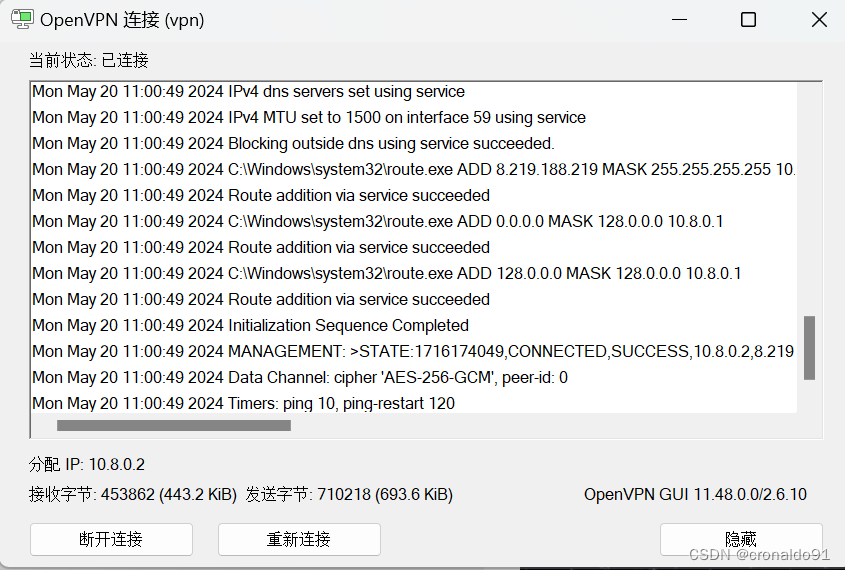
如下显示连接成功

(11)连接成功
本地和云主机实现通信
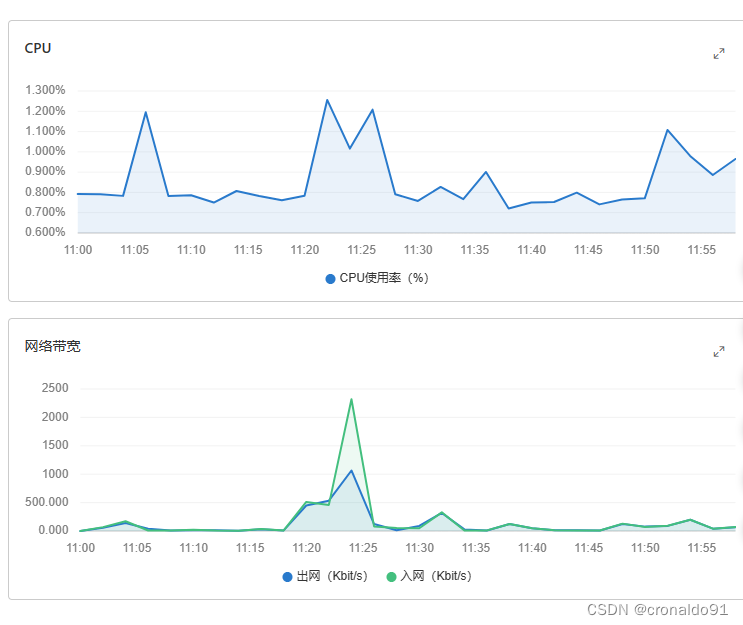
(12) 流量监测
阿里云查看

(13)监控详细信息
选择监控

查看
(14) 最后断开连接
OpenVPN GUI 断开连接

二、问题
1.申请云服务报错
(1)报错

(2)原因分析
地域限购。
(3)解决方法
更换地域。
2.安装openvpn报错
(1)报错
CentOS Linux 9 or higher is required to use this installer.
This version of CentOS Linux is too old and unsupported.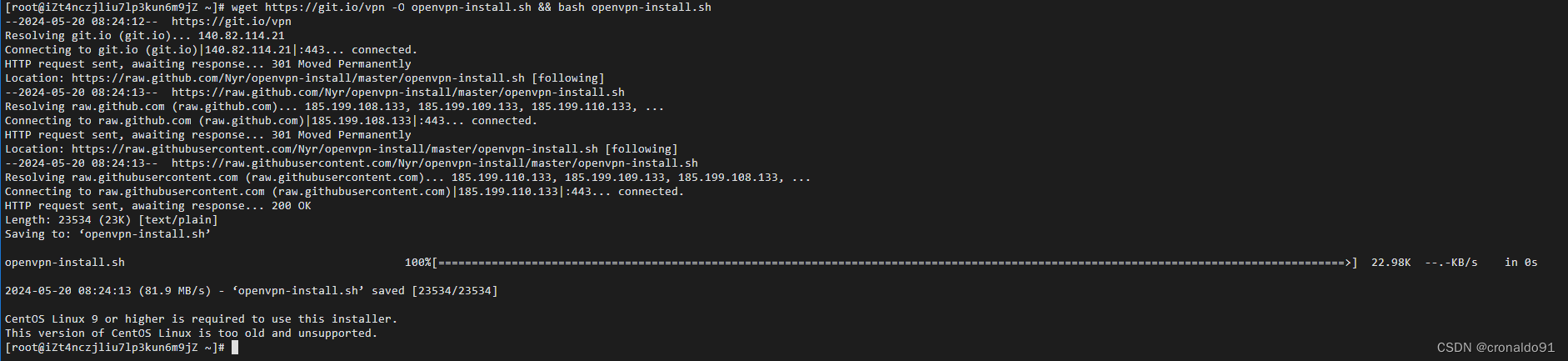
(2)原因分析
Linux 系统版本过低。
(3)解决方法
升级系统到CentOS Linux 9。
重置系统:
重置为其他镜像:
确定:

安全验证:

成功:

重置中:
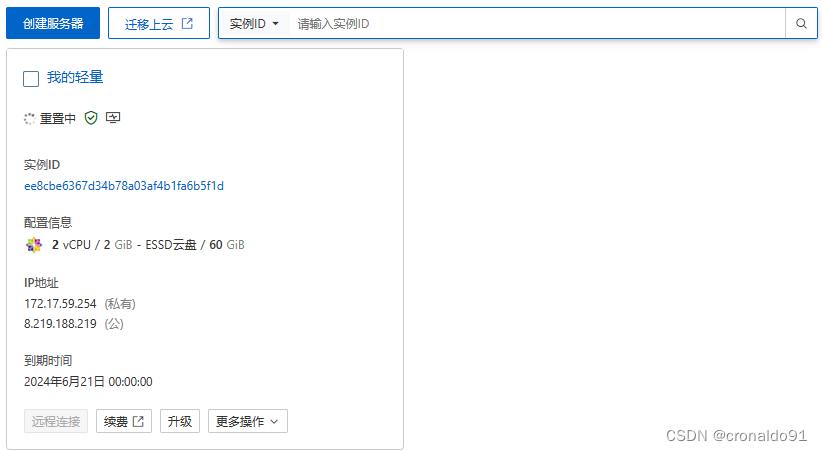
旧的远程连接自动断开:

新的实例运行中:

3.远程登录云主机报错
(1)报错
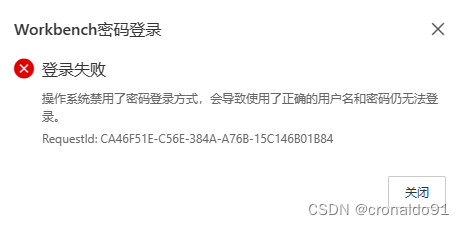
操作系统禁用了密码登录方式,会导致使用了正确的用户名和密码仍无法登录。
RequestId: CA46F51E-C56E-384A-A76B-15C146B01B84
(2)原因分析
系统更换镜像后,密码未重置。
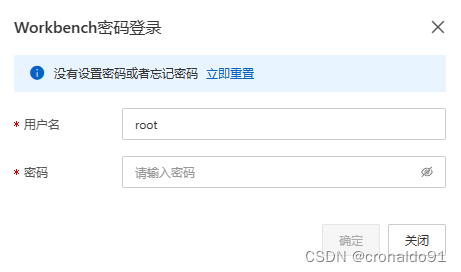
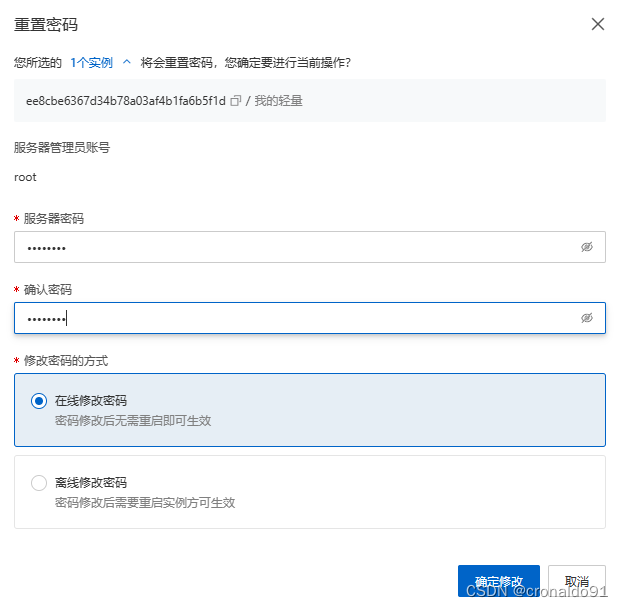
重置密码:
确认:
重置中:

完成:

立即登录:

确定:
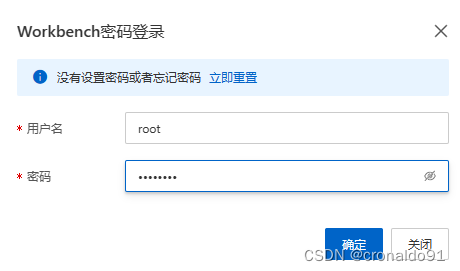
依然报错:

其他方式进入云主机:

(3)解决方法
方法:
1)通过管理终端连接服务器,登陆到系统中

2)编辑/etc/ssh/sshd_config这个文件,找到PasswordAuthentication,确认后面的配置是否是no

3)若是no,则将其修改为yes,保存文件

4)重启sshd服务,可以使用命令service sshd restart或service sshd reload来操作

5)再次尝试发现已经可以正常登陆了。
进入:
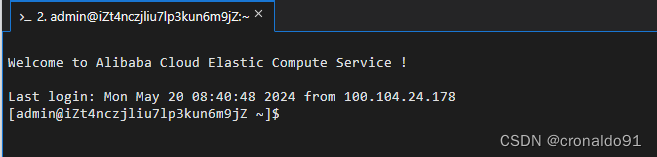
修改配置文件
sudo vi /etc/ssh/sshd_config
修改前:

修改后:

重启服务:
service sshd restart
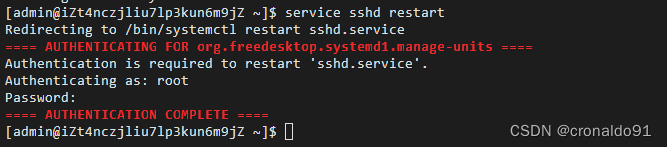
退出实例:

再次远程连接:

确定:
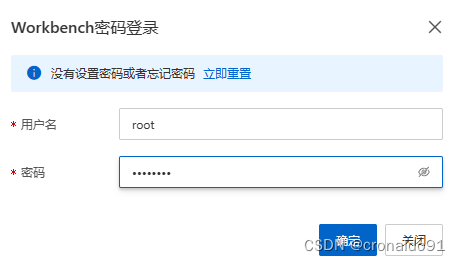
成功:
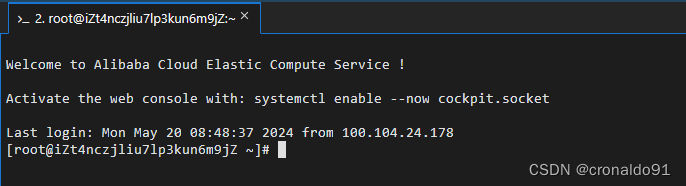
4.密码登录失败
(1)报错
Failed to log on to the instance. Error message: DefaultAuthFuture[ssh-connection]: Failed (IOException) to execute: Connection reset by peer
RequestId: BF8A3874-879E-3003-B9B3-EBED5B27D9F2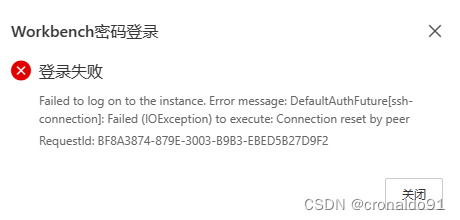
(2)原因分析
需要阿里云控制台重启一下服务器。
重启服务器:

确定:

安全验证:

停止中:
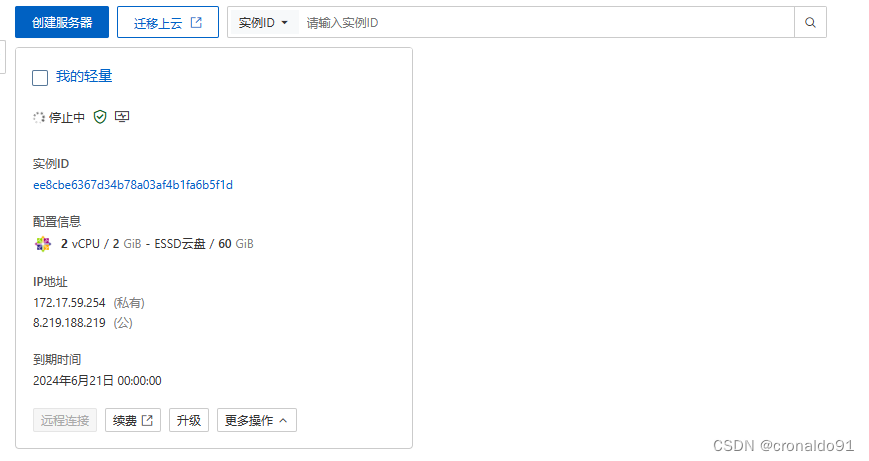
运行中:

远程连接

再次报错:
终端连接(SSH)默认连接端口为: 22请确保端口正确
检查防火墙配置是否对远程连接端口放行。
如果实例安装了第三方安全管理软件并通过该软件限制了远程用户登录,请暂时关闭限制。
RequestId: 35B1E33A-3288-33E8-831A-C3EDDA86D60C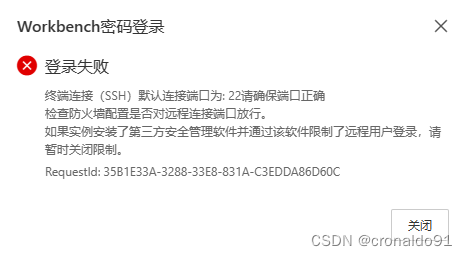
综上所述:
因升级OpenSSL导致SSH无法启动。
(3)解决方法
查看SSH配置文件中的连接数限制
cat /etc/ssh/sshd_config | grep MaxStartups
测试模式运行sshd
sshd -T
service sshd stop

/usr/sbin/sshd -d
ldd /usr/bin/ssh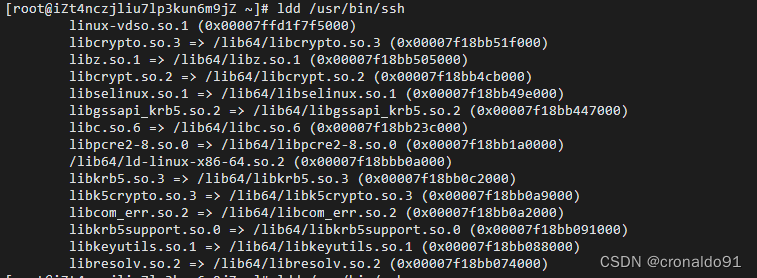
查询
rpm -qa|grep -E "openssh"
删除(卸载ssh服务端与客户端)
yum remove openssh-server-8.7p1-19.el9.x86_64 openssh-clients-8.7p1-19.el9.x86_64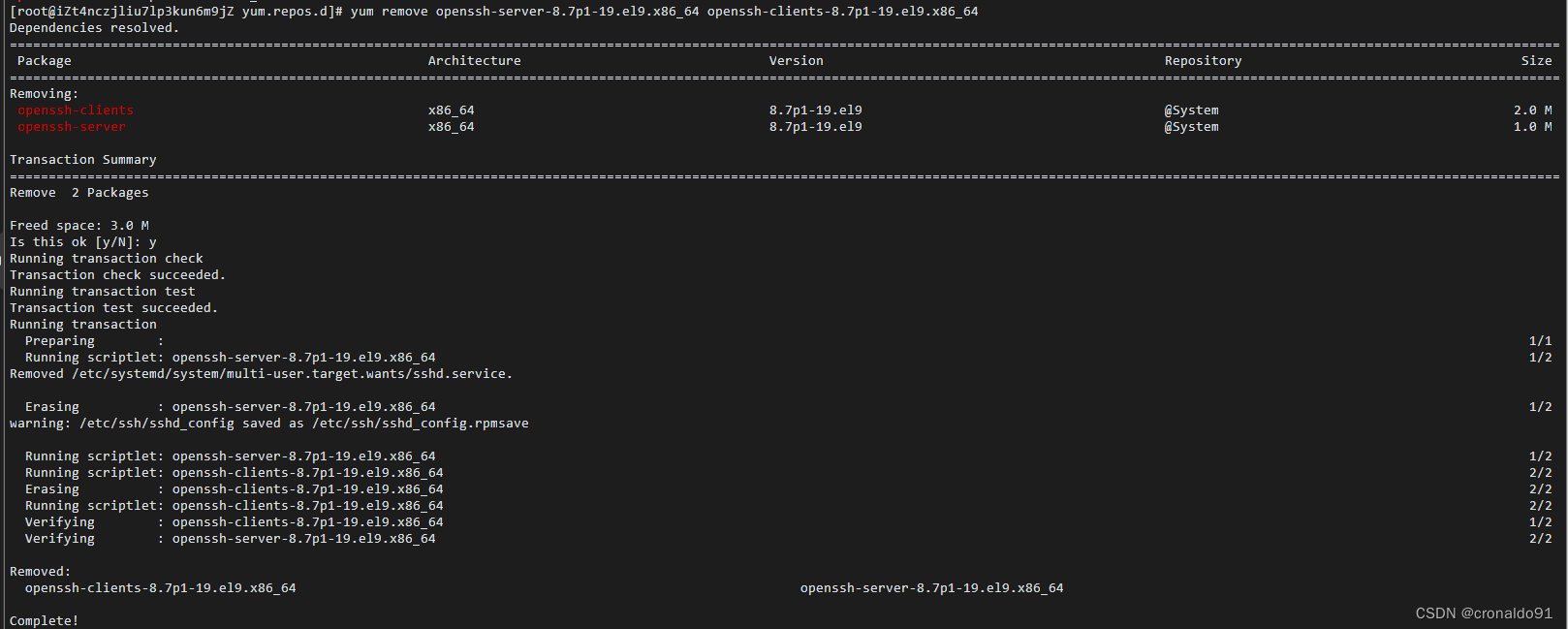
安装
yum install -y openssh-server openssh-clients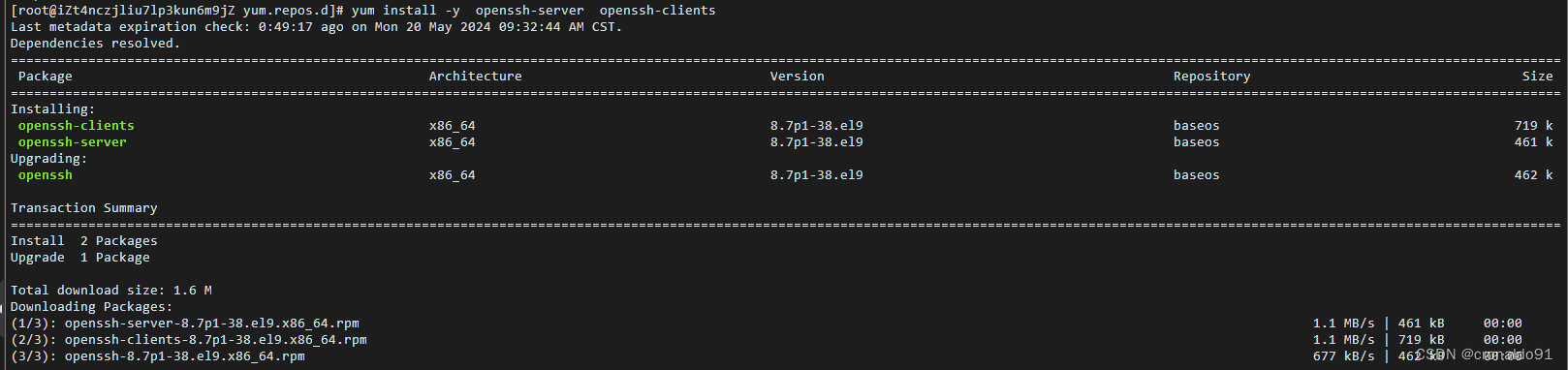
修改配置并重启
sudo vi /etc/ssh/sshd_config
systemctl restart sshd
systemctl status sshd